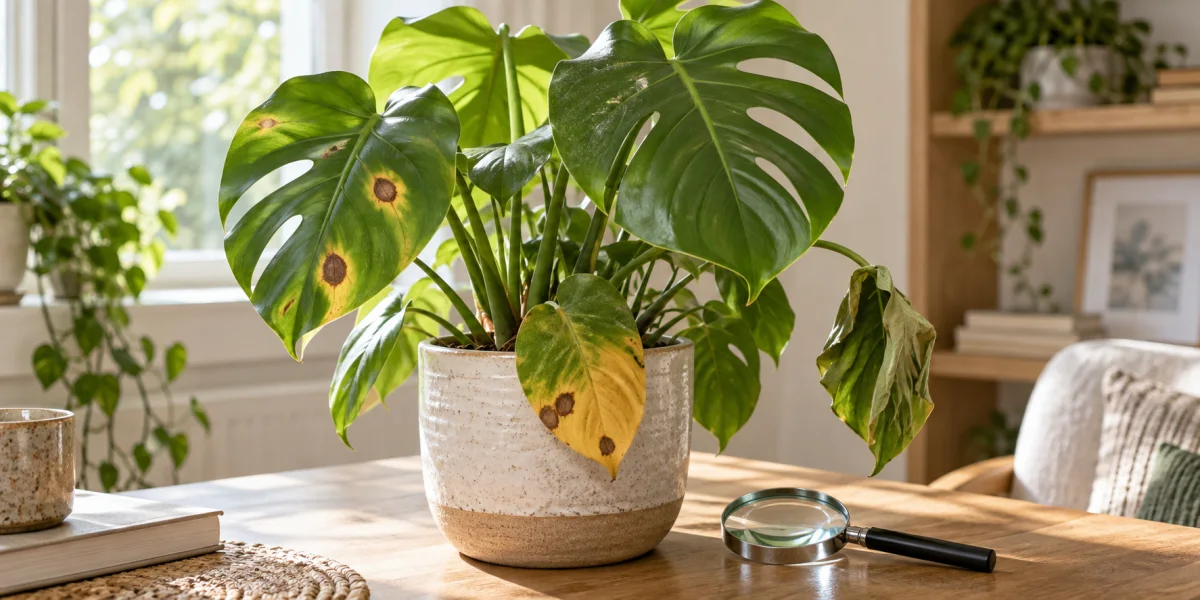
You noticed something is off. The leaves have spots, or they’re yellowing in a pattern you don’t recognize, or there’s a fuzz on the stem that wasn’t there last week. You pull out your phone, open a plant disease identifier app, snap a photo, and wait. The app returns a result in seconds – “Alternaria leaf spot” or “bacterial blight” or “iron deficiency.”
Now what?
If you’ve never heard of Alternaria, you’re back to square one with an extra step in between. And if the app is wrong – a real possibility when several causes produce the same symptom – you might treat for the wrong problem entirely.
A plant disease identifier is a tool – usually a mobile app – that analyzes a photo and suggests what might be wrong. Depending on the product, it may compare visible patterns with examples of diseases, pest damage, and care-related stress. That can be useful for forming a first hypothesis. It works better when you understand what the app is doing, and where image-only diagnosis hits its limits.
This guide walks through what plant disease identification apps can realistically do, what kinds of problems they struggle with, what photos give you a better result, and when you need to go further than an app result before treating your plant.
Identification Snapshot
- Best use: a plant disease identifier gives you a fast first hypothesis when a symptom is new and you need a direction for further checking.
- Strongest inputs: known plant species, several photos, recent care history, and at least one view that shows whether the issue is spreading.
- Weakest inputs: one dramatic close-up, no underside or root-zone photo, and no context on watering, light, pests, or recent moves.
- Safest mindset: use the result to narrow possibilities, not to skip verification.
What Most Plant Disease Guides Miss
Here’s the part most app reviews skip: plant identification and disease diagnosis are two completely different confidence problems.
Identifying a plant species is usually a narrower classification task than diagnosing why it is unhealthy, but it is not foolproof. Multiple species can share similar leaves, and damage can hide useful features. A whole-plant view plus close-ups of leaves, stems, flowers, or fruit gives an identifier more evidence than a single leaf photo.
Disease diagnosis is harder. A lot harder. Brown leaf tips can follow fertilizer-salt buildup, low humidity, uneven watering, or physical damage. Those causes can look nearly identical in a photo. Yellowing can point to nutrient stress, infection, root damage, or simply a lower leaf that has reached the end of its natural life. The visual symptoms overlap across completely different causes – and different causes need completely different fixes.
Plant disease apps should not be assumed accurate from their feature lists. A 2022 study in Agronomy reviewed 17 apps for factors such as software quality, AI use, disease coverage, and treatment functionality; importantly, the authors said diagnostic accuracy was outside the study’s scope. A long feature list is therefore not evidence that an app can correctly diagnose your plant.
When an app returns a disease result, it’s offering a hypothesis based on pattern matching, not a lab test. Treating based on that hypothesis without confirming it can make things worse. Applying a fungicide to a plant that’s actually underwatered doesn’t help. Neither does changing your watering schedule for a plant that has actual root rot.
The practical first check before you act on any app result: ask whether the symptom fits your care history. Did you recently repot? Change location? Water more or less than usual? A symptom that follows a care change is more likely environmental than infectious. That single question narrows your options significantly before you even read the app’s suggestion.
Lookalikes and Confused With
A disease-looking photo is often confused with something that has nothing to do with a pathogen. Before you trust an app result, compare it against the most common lookalikes.
| App says | Often confused with | Quick reality check |
|---|---|---|
| Fungal leaf spot | Sun scorch or splash damage | Are spots only on the most exposed leaves, or scattered through the canopy? |
| Root rot | Chronic underwatering after a dry spell | Do the roots smell sour and feel mushy, or are they dry and brittle? |
| Nutrient deficiency | Old leaves aging out naturally | Is the issue isolated to the oldest leaves while new growth still looks normal? |
| Pest damage | Mechanical tearing or low humidity edge burn | Can you find actual insects, webbing, frass, or stippling on the underside? |
What Plant Disease Identifier Apps Are Actually Good At
Apps that use image recognition for plant diagnosis do several things well.
Suggesting a category to investigate. Even when the specific diagnosis is uncertain, an app may help you decide whether a fungal pattern, pest infestation, or care-related issue deserves a closer look. Treat that category as a search direction, not a confirmed cause.
Prompting a closer inspection. A suggested match may remind you to look for powdery growth, webbing on leaf undersides, or a yellowing pattern you had not yet compared across the whole plant. The observation you confirm matters more than the app label.
Returning results fast enough to start researching. Knowing a probable disease name gives you something specific to look up, compare against extension resources, and ask about in plant communities.
Tracking patterns across photos over time. Some apps log photos chronologically, which means you can see a progression rather than a single moment. That timeline often matters more than any single image for understanding what’s happening.
Image-only diagnosis is most limited when several causes create the same visible symptom. A result is also harder to evaluate when the app does not identify its reference sources, alternatives, or uncertainty.
For a comparison of what different apps offer for plant identification and disease diagnosis, the best plant identifier apps guide covers what to look for in a tool before you rely on it.
The Photo Problem
The single biggest limitation of any plant disease identifier isn’t the app – it’s the photo.
Mississippi State University Extension is explicit on this: many diagnoses cannot be made from photos alone, and useful submissions normally need multiple views plus background information. Most people photograph only the most dramatic symptom – the single spotted leaf or the worst-affected area – while leaving out the distribution and growing conditions that help separate lookalikes.
Here’s a practical photo set that gives an app – or a human diagnostician – the best chance:
- Whole plant in its location – shows the overall pattern and growing conditions
- Affected leaves alongside healthy leaves – the contrast helps show severity and progression
- Leaf undersides – where concealed pests or additional lesion details may be easier to see
- The stem at soil level – soft, discolored, or sunken tissue at the base is a key signal for root rot and crown rot
- Soil surface and drainage hole – compacted soil, standing water in a saucer, or visible roots tell a story
- Any visible signs – actual physical evidence like insects, webbing, white powder, spores, or dark ooze
That last category – signs as opposed to symptoms – is a distinction the NC State Extension Gardener Handbook emphasizes in its diagnostics chapter. Symptoms are the plant’s response (yellowing, wilting, spots). Signs are physical evidence associated with a possible cause (fungal growth, pest bodies, frass, bacterial ooze). A relevant sign strengthens a diagnosis, but NC State also cautions that finding an organism does not by itself prove it caused the damage. When you can see only symptoms, multiple causes remain possible.
Expert Note
Extension diagnosticians usually want more than one dramatic leaf photo for a reason. Mississippi State University Extension recommends multiple views and supporting history, while NC State’s diagnostic guidance separates symptoms from signs as part of a systematic process. That is why a plant disease identifier works best as a sorting tool, while a plant clinic or extension resource is the better next step when the stakes are high or the evidence is mixed.
How to Read App Confidence Levels
Not every app result needs the same level of manual checking. There’s a rough confidence framework worth knowing before you act.
Lower confidence situations: You have one close-up photo of a leaf, you’re not sure what species the plant is, you don’t know the care history, and you haven’t checked the undersides or soil. The app result might be useful as a starting point, but it’s not enough to act on.
Moderate confidence: You’ve provided several photos including undersides and the whole plant, you know your species, the symptom appeared gradually over days or weeks (not overnight), and the app’s suggested disease matches descriptions you can find from an extension or university horticulture source.
Stronger case for action: You can confirm a relevant sign – fungal growth, insects, webbing, or another direct clue – and a credible extension source describes the same pattern for the same plant type. Start with the source’s low-risk sanitation or isolation steps, follow any product label exactly, and escalate if the plant is valuable, edible, or deteriorating quickly.
Decision Tree
- Use the app as a hypothesis. If the result came from one close-up image, assume low confidence.
- Check symptoms against signs. Look for insects, webbing, powder, ooze, root decay, or other direct evidence.
- Compare against extension guidance. If an extension description does not match the plant, symptom pattern, and spread, do not force the app diagnosis.
- Escalate when risk is high. Fast spread, valuable plants, edible crops, or repeated treatment failure are all signals to ask a human diagnostician.
- Treat only after the story makes sense. The photo, the care history, and the likely cause should point in the same direction.
Before you act on any app result, check three things:
- Did a care change happen recently – repot, new location, watering schedule shift?
- Is the pattern spreading, or is it one or two isolated leaves?
- Can you see an actual sign – not just a symptom?
If the answer to #1 is yes, start there before you treat for disease. Environmental causes follow care changes; infectious ones usually don’t start the same week you moved the plant.
If you’re seeing yellowing that doesn’t fit a clear pattern, the yellow leaves guide walks through the most common causes by how and where yellowing appears – which is often faster than relying on an app result alone.
Match the Symptom to the Next Check
Once the app gives you a category, move to the guide that tests that specific pattern rather than treating the label as settled.
| What you can observe | Use this next | What it helps you separate |
|---|---|---|
| Silvery streaks, black specks, distorted new growth, or a tiny narrow insect | Thrips on plants | Thrips damage from mites, surface residue, and ordinary scarring |
| Missing tissue, ragged holes, or neat internal openings | Why a plant has holes in its leaves | Chewing pests and physical tears from normal fenestration |
| A Pothos leaf turning yellow | Pothos leaves turning yellow | Normal aging from root-zone, light, temperature, and pest stress |
| Brown tips on a spider plant | Spider plant brown tips | Water-quality and salt stress from dryness, roots, or physical damage |
If none of those patterns fits, return to the whole-plant view and compare the symptom distribution before choosing a treatment.
When the App Isn’t Enough
Some problems are genuinely hard to diagnose from photos, even for experts. When the symptom is severe, spreading fast, or doesn’t match any app result clearly, you have a few escalation paths.
University extension diagnostic tools step you through possible causes by plant type and symptom, separating living causes (fungi, bacteria, insects) from non-living ones (watering problems, chemical damage, temperature stress). The University of Minnesota Extension’s What’s Wrong With My Plant? tool is a useful example of that structured process.
Plant clinics and diagnostic labs – many land-grant universities run plant disease and insect clinics that accept physical samples. The NC State Plant Disease and Insect Clinic, for example, examines submitted samples and provides management recommendations. A physical sample gives diagnosticians evidence that a leaf photo cannot show.
Local cooperative extension offices can connect you with staff or trained volunteers who know which problems are plausible in your region and climate – context that a photo alone does not provide.
For a deeper look at specific disease patterns and what triggers them, the houseplant diseases guide covers the most common fungal, bacterial, and cultural disease causes for indoor plants. If you suspect insects are involved, the houseplant pests guide breaks down how to identify mealybugs, spider mites, fungus gnats, and scale – many of which get misdiagnosed as disease because they produce similar leaf symptoms.
Which Tool to Use When
| Your situation | Best next step |
|---|---|
| Quick first hypothesis, minor symptoms | Plant disease identifier app |
| Need to confirm app result against a reliable source | University extension diagnostic tool |
| Symptom is unusual, spreading fast, or diagnosis unclear | Extension office, master gardener, or plant forum |
| Serious or commercial plants, or unusual pathogen suspected | Physical sample to a university plant clinic |
For most houseplant owners dealing with common symptoms – spots, yellowing, drooping, visible pests – an app is a reasonable first step. The key is knowing which tier of confidence you’re actually at before you act on the result.
Care Cards
If the app points to a watering or root problem
Pause fertilizer, inspect the potting mix, and check roots if the plant can be safely unpotted. Watering stress and root rot can look similar from above, so root texture and smell matter more than the app label.
If the app points to a fungal or bacterial issue
Isolate the plant, improve airflow, remove the worst tissue if that is standard for the plant, and verify visible signs before buying a treatment. A name alone is not enough reason to spray.
If the app points to pests
Check leaf undersides, new growth, and stem joints for bodies, webbing, scale bumps, or frass. Pest IDs get stronger when you can find the pest itself, not just the damage pattern.
What Plant Owners Keep Running Into
Across plant communities, the same concerns appear again and again: people want a free app that is also highly accurate, they are comfortable using apps for species ID but less comfortable trusting them for disease diagnosis, and they often end up asking where to get human help when the app result does not line up with the plant’s actual history. That is a useful caution signal. App outputs are great for narrowing possibilities, but they are a weak substitute for extension diagnostics or a plant clinic when the picture is ambiguous.
Common Problems
- Treating the app’s first answer like a final diagnosis.
- Photographing only one damaged leaf and skipping the whole-plant view.
- Ignoring care changes that are more plausible than an infectious disease.
- Spraying treatments before checking for signs such as insects, webbing, spores, or ooze.
- Comparing the result only to app screenshots instead of an extension source.
Pet Safety
A diagnosis app does not change whether a plant is cat-safe or dog-safe, and the riskiest part is often the treatment someone reaches for next. Keep pets away from dropped leaves, fungicides, insecticides, and any recently treated foliage until you know the product is labeled for homes with animals. If a pet chews a toxic houseplant or a treated leaf, call your veterinarian or pet poison resource rather than relying on the app.
A Note on Free Apps and Accuracy
Free plant disease identifier apps vary in the evidence and uncertainty they show. Some expose alternative matches, source links, or confidence cues. Others return one confident label without explaining how it was reached.
A useful app should show confidence cues, cite sources for disease descriptions, and distinguish between “likely” and “possible” diagnoses. Those features do not prove accuracy, but they make the result easier to check. An app that returns a single name with no caveats gives you less information for that verification step.
Plant-care discussions generally treat disease diagnosis from one photo more cautiously than species identification. That is a sensible distinction: a disease label must explain not only what the plant looks like, but also how the symptom is distributed, when it appeared, and which growing conditions preceded it.
Use App Results as a Hypothesis, Not a Verdict
The most useful mindset for any plant disease identifier app is treating the result as the beginning of your diagnosis, not the end.
Apps are fast, and fast is genuinely valuable when you’re watching a problem spread. But the output tells you where to look, not definitively what’s wrong. Cross-reference the result against a reliable extension source. Check whether the visible symptoms and signs match the description, not just the name. Look at your care history before reaching for a treatment.
If a symptom appeared right after you repotted, moved the plant, or changed your watering schedule – check those first. Environmental causes mimic infectious ones far more often than most app results suggest.
Freshness Note
Last updated September 9, 2026. The guidance in this article was checked against Mississippi State University Extension, NC State Extension, the University of Minnesota diagnostic tool, the NC State plant clinic, and a peer-reviewed mobile-app evaluation paper.
Methodology Box
This article reviewed app-store and app-marketing pages, extension diagnostics, plant-clinic guidance, community discussions about accuracy and free-app limits, and a peer-reviewed evaluation of plant disease detection apps. Community comments were used only as qualitative signals for common confusion, not as proof that any app is accurate or inaccurate.
Real User FAQ
Can a plant disease identifier app give an accurate diagnosis from a single photo?
It may return a plausible match, but one photo usually does not provide enough information to confirm a diagnosis. A single close-up of a spotted leaf cannot show whether the pattern is spreading, whether undersides are affected, or whether the base of the plant shows rot. Mississippi State University Extension notes that photos alone may be insufficient and recommends multiple views plus supporting information.
What’s the difference between a plant disease symptom and a sign?
A symptom is what the plant does in response to a problem – yellowing, wilting, dark spots, curling leaves. A sign is physical evidence associated with a possible cause – fungal spores, insect bodies, webbing, frass, or bacterial ooze. A relevant sign strengthens a hypothesis, but it does not automatically prove causation. If an app flags powdery mildew and you see white material, first rule out residue and compare the growth pattern with extension guidance. If you see only yellowing with no characteristic growth, keep investigating.
Why do apps sometimes give different results for the same plant problem?
Different apps train on different datasets, use different AI architectures, and weight different visual features. A symptom that one model learned from hundreds of labeled examples may appear in another app’s training data under a different disease name, or not at all. This is why comparing an app result against an extension source matters – it tells you whether the diagnosis is corroborated by plant pathology expertise, or just one model’s pattern match.
Should I treat my plant immediately after getting an app result?
Not without confirming the result first. If the app suggests a fungal disease and you apply a fungicide, but the actual cause is overwatering, the fungicide will not address the cause and may stress the plant further. The safer order is to compare the result with care history, look for relevant signs, check an extension source, then choose a response. If the symptom is mild and stable, a brief verification period can prevent unnecessary treatment; fast spread, collapse, or an important edible plant warrants prompt expert help.
Are free plant disease identifier apps reliable?
Free apps vary widely. Price does not establish diagnostic accuracy. Confidence cues, cited disease descriptions, and alternative matches make a result easier to verify, but they are not a substitute for validation. Treat a single uncaveated label as a low-context hypothesis.
What do I do when the app gives a result but I can’t confirm it?
Two paths. First, try a university extension diagnostic tool – the University of Minnesota’s What’s Wrong With My Plant tool walks through possible causes by plant type and symptom, separating environmental causes from infectious ones. Second, if the problem is serious or spreading fast, contact your local cooperative extension office. Many offer free or low-cost diagnosis, and some land-grant universities accept physical plant samples at their plant disease clinics.
Can a plant disease app help with pest identification?
It can suggest pests worth checking for, but a photo match is not confirmation. Spider mite stippling can look different from mealybug residue or scale bumps, yet early damage still overlaps with disease and care stress. Check leaf undersides for insects, webbing, frass, or other direct evidence before acting. The houseplant pests guide covers what to look for across different pest types.
What if my plant has root rot – can an app diagnose that?
Root rot is one of the harder problems for image-based tools because important evidence is underground. An app can flag symptoms that suggest root damage – stem softness at the base, lower-leaf yellowing, or wilting in wet mix – but it cannot inspect the roots. Unpotting can reveal whether roots are firm or instead dark, soft, collapsing, or foul-smelling; identifying a specific pathogen may still require a diagnostic lab. The root rot treatment guide walks through how to inspect and respond safely.
Sources
- Mississippi State University Extension. Taking Photos of Plant Disease Problems. Accessed 2026-09-09.
- NC State Extension. Extension Gardener Handbook: Diagnostics. Accessed 2026-09-09.
- University of Minnesota Extension. What’s Wrong With My Plant?. Accessed 2026-09-09.
- NC State Plant Disease and Insect Clinic. Clinic services and sample guidance. Accessed 2026-09-09.
- Pethybridge and Nelson. Evaluating Plant Disease Detection Mobile Applications: Quality and Limitations. Agronomy, 2022.