The best plant identification app depends on the job. For a quick free identification, choose a tool built around clear, multi-angle photos. For an unusual find, use community confirmation. For a houseplant you own, choose an app that turns the identification into care notes and reminders.
A houseplant identification tool answers, “What plant is this?” A diagnosis feature answers a different question — “What may be wrong with it?” Treat a symptom diagnosis as a starting hypothesis to check against the plant’s identity, soil, light, pests, and recent care changes.
Disclosure: KnowYourPlant published this comparison and is one of the apps reviewed below. To keep that conflict visible, the methodology section names the third-party sources used for this update, and the article avoids claiming an independent lab benchmark where none exists.
Plant identification apps use your phone’s camera to match one or more photos against a database of plant species and return a best-guess ID — often with care information attached. The useful ones also show how confident you should be, make it easy to collect a second view, and explain what happens after the name appears.
The underlying source review combines third-party editorial testing, official app listings, and app-store review sampling gathered between 2026-05-17 and 2026-06-27. The title, description, and comparison criteria were edited on 2026-09-09; app features, prices, and store flows were not rechecked during that editorial update. This guide is for everyday indoor plant owners deciding which workflow to trust, not botanists running a controlled field study.
What Most Plant Identification App Comparisons Miss
Most comparisons rank plant identification apps by a single accuracy claim. That leaves out the decisions that determine whether the result is useful and safe enough to act on.
Use these criteria before choosing:
- Confidence transparency: Does the app show alternatives or uncertainty, or present every result as certain?
- Photo workflow: Can you submit the whole plant plus close views of leaves, stems, flowers, or bark?
- Identification versus diagnosis: Does it clearly separate naming the species from interpreting yellowing, spots, wilting, or pests?
- After-ID usefulness: Can you save the plant, check care needs, and set reminders after confirming the name?
- Second-opinion path: Can a community or another source confirm an unusual, juvenile, or look-alike plant?
- Free usefulness and paywall friction: Can you test the core identification workflow before starting a subscription?
A polished result is not enough. The right app makes its confidence understandable and supports the next decision without turning a guessed identification into a certain diagnosis.
Quick App Picker for Indoor Plant Owners
Start with the problem in front of you. The best app for a mystery plant at a nursery is not always the best app for a sad pothos on your shelf.
- You just bought or inherited a houseplant: Choose an app that gives plain-English care notes after the ID, especially light level and watering rhythm.
- Leaves are yellowing, curling, drooping, or getting brown tips: Choose an app with symptom guidance, not just species identification.
- You are deciding whether to buy a plant: Check the care profile before you pay. If it needs bright light and weekly attention but your room is dim and your routine is irregular, it may be a bad fit. If you are comparing sellers too, use this guide on where to buy plants online without shipping surprises before you order.
- You forget watering dates: Choose an app that turns the ID into reminders, because the name alone will not keep the plant alive.
If you are not sure which issue you are seeing, identify the plant first, then compare the symptom against the right care profile before changing water, light, fertilizer, or pest treatment.
Decision Tree: Which Plant ID App Fits the Job?
Use this before you compare ratings or start a trial.
- You need a fast answer for an indoor plant you already own: Start with a polished instant-ID app that also gives care notes, then sanity-check the care profile against your room.
- You need a free or low-friction outdoor ID: Start with Pl@ntNet.
- You found something unusual or want a second opinion: Use iNaturalist after the first scan and wait for community confirmation.
- You are worried about pet safety or a plant-health diagnosis: Do not trust one photo alone. Confirm the plant name first, then cross-check toxicity with a primary source such as ASPCA and treat disease suggestions as a starting hypothesis, not a prescription.
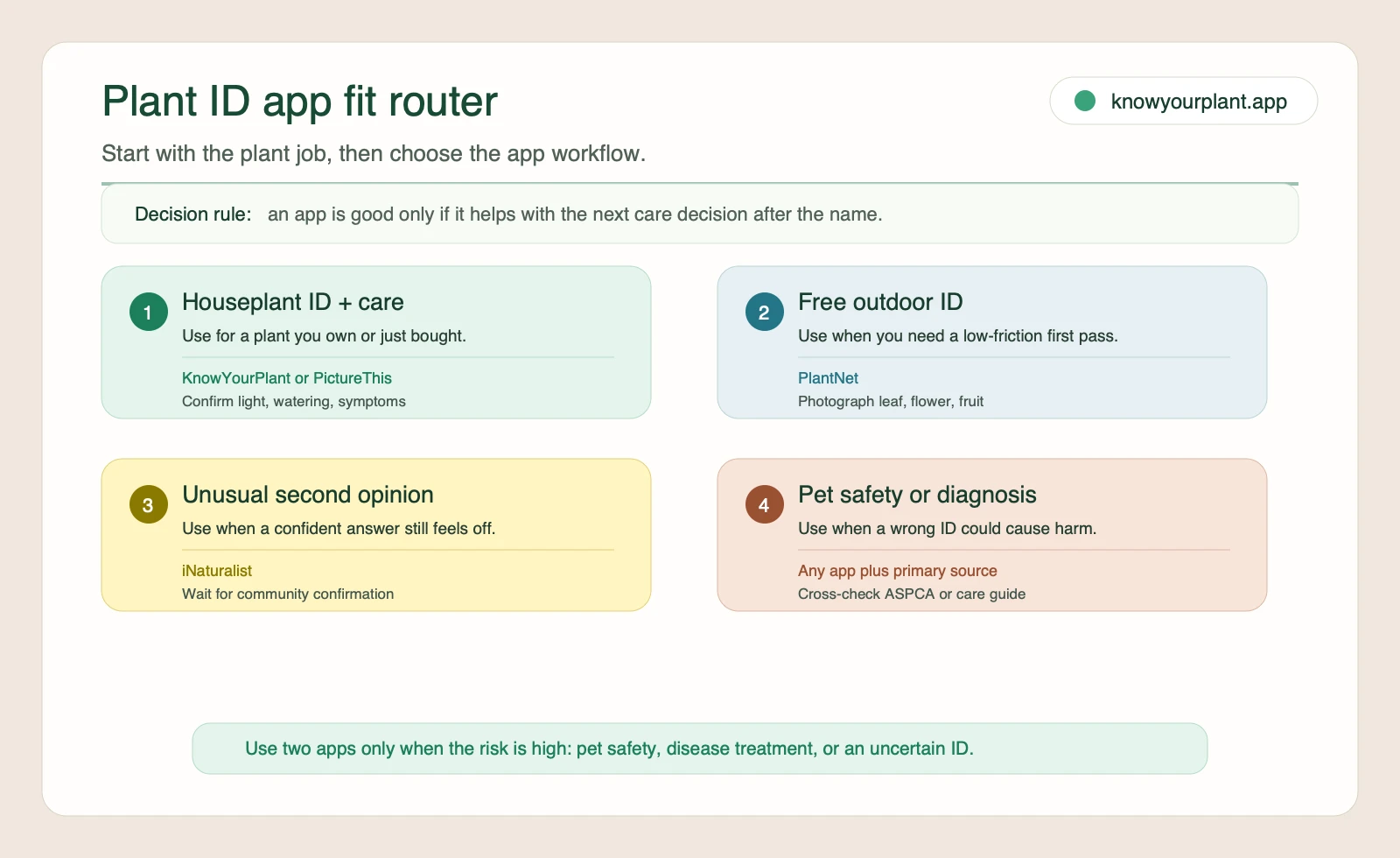
Use the app-fit router before comparing ratings, because the right plant identifier depends on the care decision you need after the name appears.
Best Plant Identification Apps at a Glance
The real tradeoff is not just accuracy. It is speed, workflow friction, and what happens after the name appears on screen.
| App | Best at | Speed to first answer | Free usefulness before paying | Paywall friction | What happens after the ID | Where it breaks first |
|---|---|---|---|---|---|---|
| PictureThis | Fast polished houseplant-style ID | Fast | Limited if you want to compare diagnosis and care features before a trial | Higher friction, because some users report card-required trial frustration | Care notes, diagnosis help, toxic-plant warnings on store listing | Easy to over-trust if you only use one photo or skip a second-source check |
| Pl@ntNet | Free plant ID, especially when you can photograph multiple plant parts | Fast | Strong, because you can test the core ID workflow without much friction | Low friction | Strong identification workflow, lighter care follow-through | Whole-plant photos alone are often not enough, and some users report resets or freezes |
| iNaturalist | Community-backed confirmation for unusual finds | Slower | Strong if you can wait for community confirmation | Low friction | Observation log plus community discussion and correction | Less beginner-friendly when you just want an instant answer |
| KnowYourPlant | Indoor plant ID tied to care workflow | Fast | Moderate, because the real value shows up after you save the plant into care tracking | Check the current store flow before you commit | Care notes, reminders, symptom guidance, and plant tracking in one place | Not the right tool if your main goal is community taxonomy verification |
Scoring Rubric
Use this rubric to score the app you are considering. This is a workflow-fit rubric, not an independent lab accuracy benchmark.
| Criterion | 1 = weak fit | 2 = usable with caveats | 3 = strong fit |
|---|---|---|---|
| Quick ID speed | Slow or unclear first answer | Usable but inconsistent | Fast first answer with low confusion |
| Community verification | No clear second-opinion path | Some correction path | Strong community confirmation workflow |
| Disease-help depth | Names the plant only | Some symptom suggestions | Gives next-step triage after the ID |
| Paywall friction | Hard to evaluate before paying | Trial friction or limited testing | Low-friction evaluation |
| Pet-safety cross-check readiness | No safety guidance | Mentions safety but no verification path | Makes it easy to confirm the plant name before you cross-check a primary source |
How to read the rubric:
- Quick ID speed favors apps that return a usable first answer fast.
- Community verification favors workflows where humans can confirm or correct the ID.
- Disease-help depth favors apps that give next-step guidance after a symptom photo.
- Paywall friction rewards lower-friction evaluation.
- Pet-safety cross-check readiness rewards apps that help you move from a guessed name to a safer verification workflow.
Because KnowYourPlant is one of the reviewed apps, use third-party signals such as Wirecutter’s recommendation pattern, app-store review friction, and ASPCA cross-check guidance as heavier weights than any house view in this article.
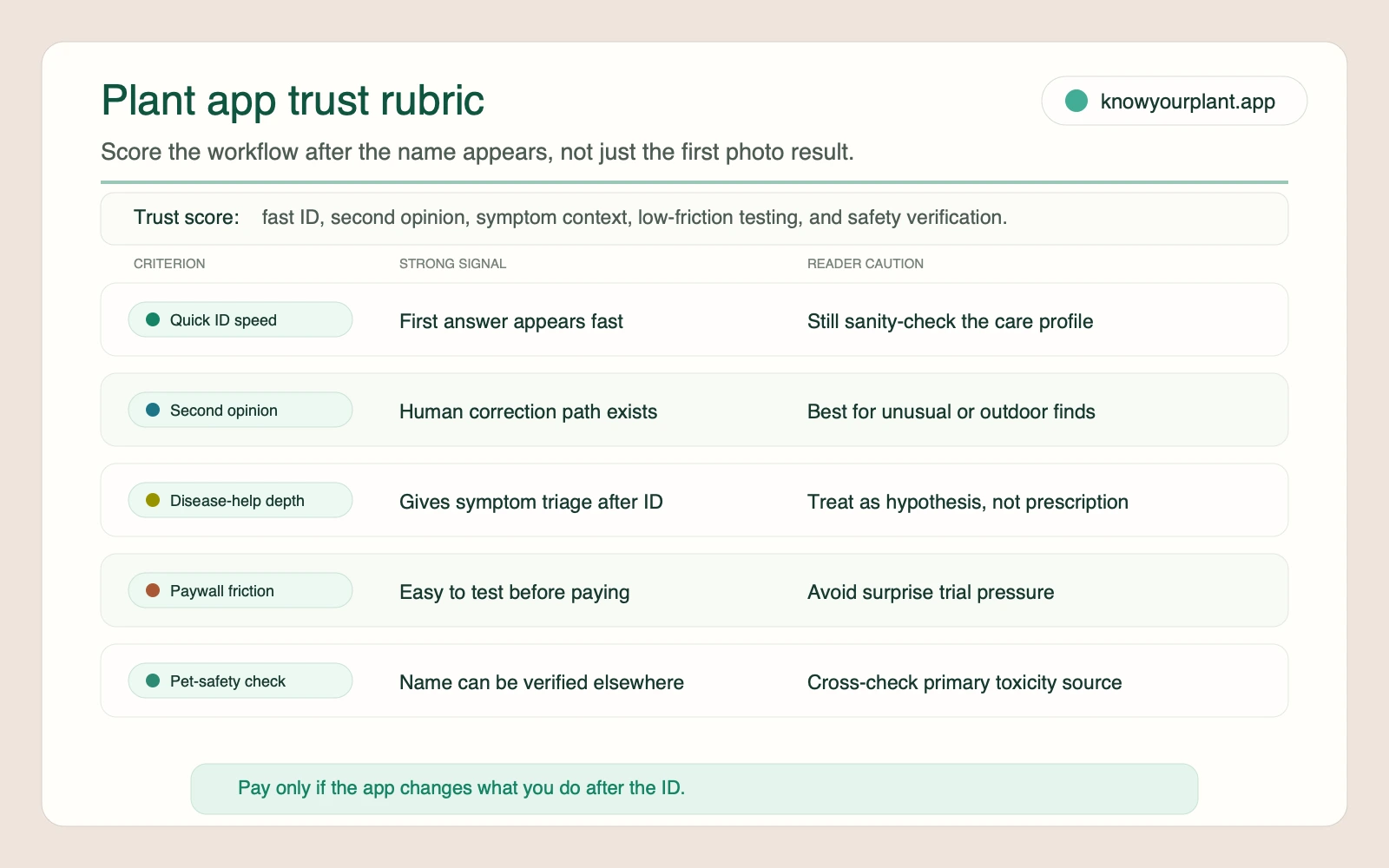
Score the workflow after the name appears: a useful app gives you a faster next step, not just a confident first label.
How We Evaluated These Apps
This refresh uses three evidence layers and keeps each one in its lane:
- Official product pages and help pages, accessed 2026-06-27, to verify what iNaturalist, Pl@ntNet, Google Lens, and PictureThis explicitly claim they can do.
- Wirecutter’s plant ID app testing, which still provides one of the clearest third-party comparisons for fast identification versus community confirmation.
- Plant-owner discussion snippets and app-store friction signals, used only as qualitative evidence for where readers hesitate: free-vs-paid value, overconfident one-photo IDs, and whether the app helps after the name appears.
This update also used local SearXNG first, then broadened the review when the exact query returned no parseable comparison set. The goal was not to produce a lab benchmark. It was to separate verified feature claims from recurring user-experience patterns.
Scope limits: this article does not claim an independent side-by-side accuracy study. Anecdotal discussions are treated as directional signals, not universal truth.
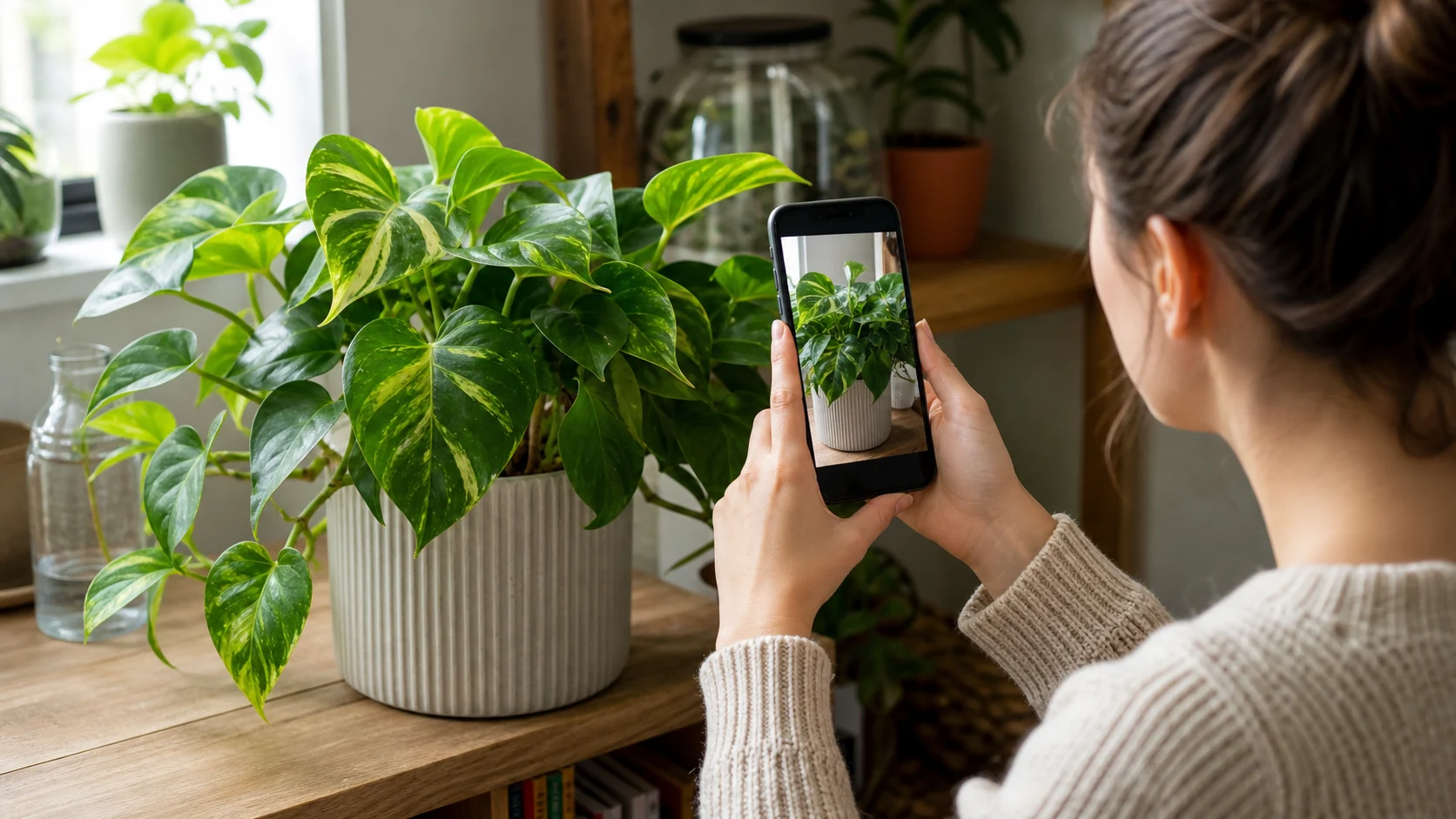
Testing a real plant photo keeps app feature claims anchored to the workflow readers will actually use.
Current Pricing and Paywall Check
The source set supports two pricing-related conclusions safely:
- PictureThis shows in-app purchases on its App Store listing, and sampled Google Play reviewers describe higher evaluation friction because of credit-card-first trial flow.
- For the other apps, trial terms and pricing change quickly enough that this article avoids publishing hard numbers not verified in the current source set. Check the live store listing before you subscribe.
Free vs Paid: What You Can Actually Test Before Subscribing
Before you enter payment details, run one real plant through the app and check four things:
- Can you complete the three-photo workflow before a trial wall or card prompt interrupts the test?
- Do you get care guidance after the ID, not just a plant name?
- Can you tell whether diagnosis help is included or hidden behind a paid tier?
- Can you save the plant or revisit the result later without restarting from scratch?
If the answer is no to most of those, treat the app as a quick identifier, not a full care workflow. That is the practical free-vs-paid split readers kept circling in the source set. If a photo diagnosis points to spots, rot, mildew, or a spreading issue, first use the plant disease identifier guide to assess the result, then cross-check the symptom against the houseplant diseases guide before you start treatment.
What Plant Owners Keep Running Into
Across plant-owner forums and review threads, the same three patterns come up again and again.
- People cross-check when the plant is tricky. One-photo IDs get shakier with juvenile leaves, look-alikes, weeds, native plants, or incomplete photos.
- Free-vs-paid friction changes the buying decision. Readers do not just want the most accurate app. They want to know how much they can test before a trial, subscription, or card prompt appears.
- The real job starts after the name appears. Plant owners care about reminders, symptom help, pet-safety checks, and whether the app helps them make a better care decision, not just label the plant.
That is why this guide does not crown one universal winner. It treats fast houseplant ID, outdoor identification, community confirmation, and care follow-through as different jobs.
Social Listening Snapshot
The discussion layer in this research pack was useful for pattern-spotting, not for declaring winners. The recurring signals were consistent enough to matter:
- Cross-checking is normal, not paranoid. Readers expect juvenile leaves, look-alikes, native plants, and incomplete photos to throw off a one-shot answer.
- Free usefulness changes the recommendation. Many people are deciding between low-friction tools such as Pl@ntNet or iNaturalist and polished paid apps that may hide the deeper workflow behind a trial.
- One app rarely does every job well. Fast houseplant ID, outdoor naturalist verification, symptom triage, and long-term care reminders are separate needs.
These are snippet-level user signals rather than controlled tests, so they work best as caution flags. They tell you where to double-check, not what to blindly trust.
Photo Checklist Before You Trust Any ID
Pl@ntNet’s own guidance is a good rule for every app: photograph the parts that actually help separate one species from another.
| Capture | Why it matters |
|---|---|
| Leaf | Shape, variegation, margin, and venation narrow the result set |
| Flower or fruit | Often the fastest way to separate similar plants |
| Stem or petiole | Useful when leaves alone look too generic |
| Full plant habit | Shows whether the plant climbs, trails, rosettes, or grows upright |
| Problem area | Needed when you are using the app for diagnosis, not just naming |
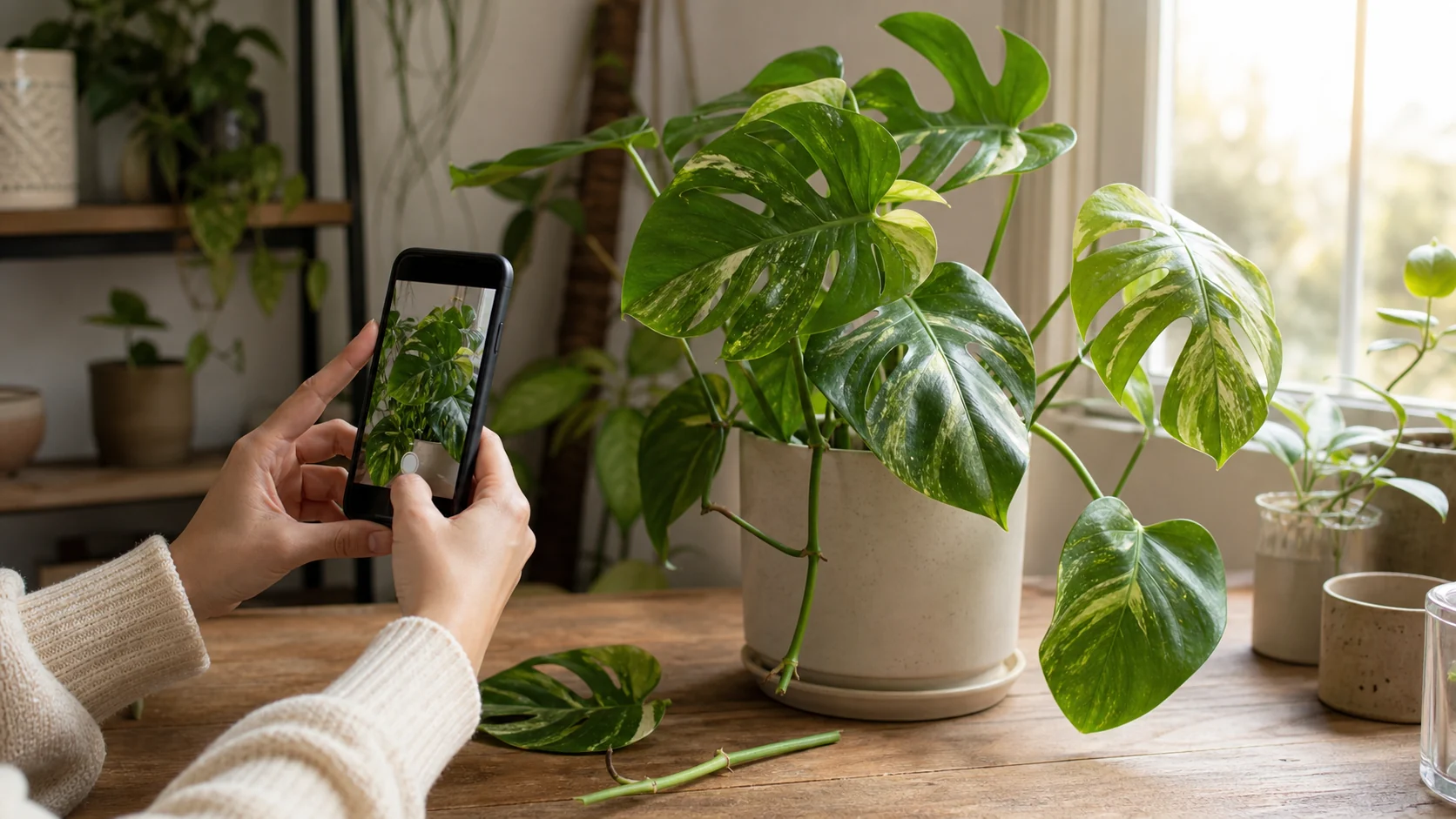
Photograph the whole plant and the leaf, petiole, or stem details that distinguish close matches.
Three-Photo Evaluation Checklist
Before paying for any plant ID app, run one real plant through this quick test:
- Whole-plant photo in natural light to judge overall habit and obvious look-alikes.
- Diagnostic close-up of the leaf, stem, flower, bark, or petiole that separates similar plants.
- Symptom photo if the plant is struggling and you want more than a name.
Then score the result with four yes-or-no questions:
- Did the app keep the same likely ID across more than one photo?
- Did it show alternative matches or any confidence cue when the answer was shaky?
- Did it give a practical next step after identification, such as care notes, diagnosis guidance, or a saved-plant workflow?
- Could you evaluate enough of the workflow before a paywall or trial prompt interrupted the test?
If two or more answers are no, treat the app as a first-pass identifier, not a tool to trust for care decisions on its own.
Confidence-First Checklist Before You Change Care
Before you repot, move the plant, cut damaged growth, or start treatment, ask four quick questions:
- Did the app show alternative matches or confidence cues instead of one overconfident answer?
- Did you test more than one photo angle or plant part instead of relying on a single leaf shot?
- Does the app separate plant naming from care advice, so you can tell whether watering, diagnosis, and reminders are part of the workflow or a separate guess?
- If the ID feels shaky, do you have a clear cross-check path through Pl@ntNet, iNaturalist, Google Lens, or another second source?
If the answer is no on two or more of those checks, pause before changing care. The app may still be useful for a first-pass label, but not strong enough to drive a treatment decision on its own.
Cross-Check Workflow for Look-Alikes and Juvenile Leaves
When the plant is small, half-unfurled, or missing flowers, run the same three photos through two different workflows before you change care:
- Use your first app for the fast answer.
- Run the same image set through a second app with a different strength, such as Pl@ntNet for plant-part matching or iNaturalist for later community confirmation.
- If the likely ID changes across apps or across photo angles, pause and treat the answer as provisional.
That extra check is the safest response to the pattern that kept showing up in plant-owner discussions: one confident answer can still be wrong when the photo set is incomplete.
Expert Note: What the Official Sources Actually Support
The official source layer makes the tradeoffs clearer:
- iNaturalist presents computer vision as a way to help the community reach better identifications faster, which is why it shines when you want confirmation more than speed.
- Pl@ntNet positions itself as an AI-supported citizen-science project and works best when you photograph multiple plant parts instead of only one leaf.
- Google Lens is useful as a quick visual search starting point, but it is not built as a dedicated houseplant care workflow.
- PictureThis explicitly markets instant plant ID plus disease, treatment, toxicity, and care guidance, which is why readers judge it on workflow depth as much as on speed.
Official pages confirm feature scope, not head-to-head accuracy. They are strongest when you use them to verify what an app promises, then compare that promise against your own test photos.
Freshness Note
The title, description, and answer-first comparison criteria were updated on 2026-09-09. App features and pricing were not rechecked during that editorial update; the underlying source checks were gathered on 2026-06-27 and 2026-06-21. Verify the current store listing before paying.
Reviewed by: KnowYourPlant editorial team
The commercial decision is simple: pay only if the app changes what you do after the ID. If it only gives a plant name, the free result is usually enough. If it helps you decide where the plant should sit, when to water, whether it is pet-safe, and what changed when leaves yellow, then the app is doing the part that actually protects your plant budget.
What to Look for in a Plant ID App
Not all apps are created equal. Some have enormous databases but give you nothing after the name. Some are accurate for outdoor plants but hopeless with houseplants. Before you download several and get confused, here’s what actually matters:
Accuracy — Can it reliably identify common houseplants? Unusual varieties? Juvenile plants that look different from their mature form?
Plain-English care information — Does it tell you what the plant needs after identifying it, or do you have to go look that up separately? The ID is only half the job. If you’re trying to figure out why your newly identified orchid is dropping buds, you want that context in the same place — here’s what orchid care actually looks like.
Symptom help — Some apps can read a photo of a yellowing leaf and suggest what’s wrong. This is genuinely useful if you’re trying to figure out why something looks off, especially when you’re trying to separate spider mite damage from watering stress, low humidity, or old leaves aging out.
Routine fit — A good app should help you decide whether a plant fits your actual home. “Bright indirect light” is only useful if the app also helps you translate that into a window, shelf, or room you actually have.
Free vs. paid — Most apps give you a few free identifications per day, then push you toward a subscription. Good to know upfront rather than after you’ve set everything up.
The Apps, Reviewed
These four apps represent different workflows worth comparing: quick houseplant identification, outdoor plant-part matching, community confirmation, and identification linked to ongoing care. The source set supports feature and workflow comparisons, not a controlled head-to-head accuracy ranking.
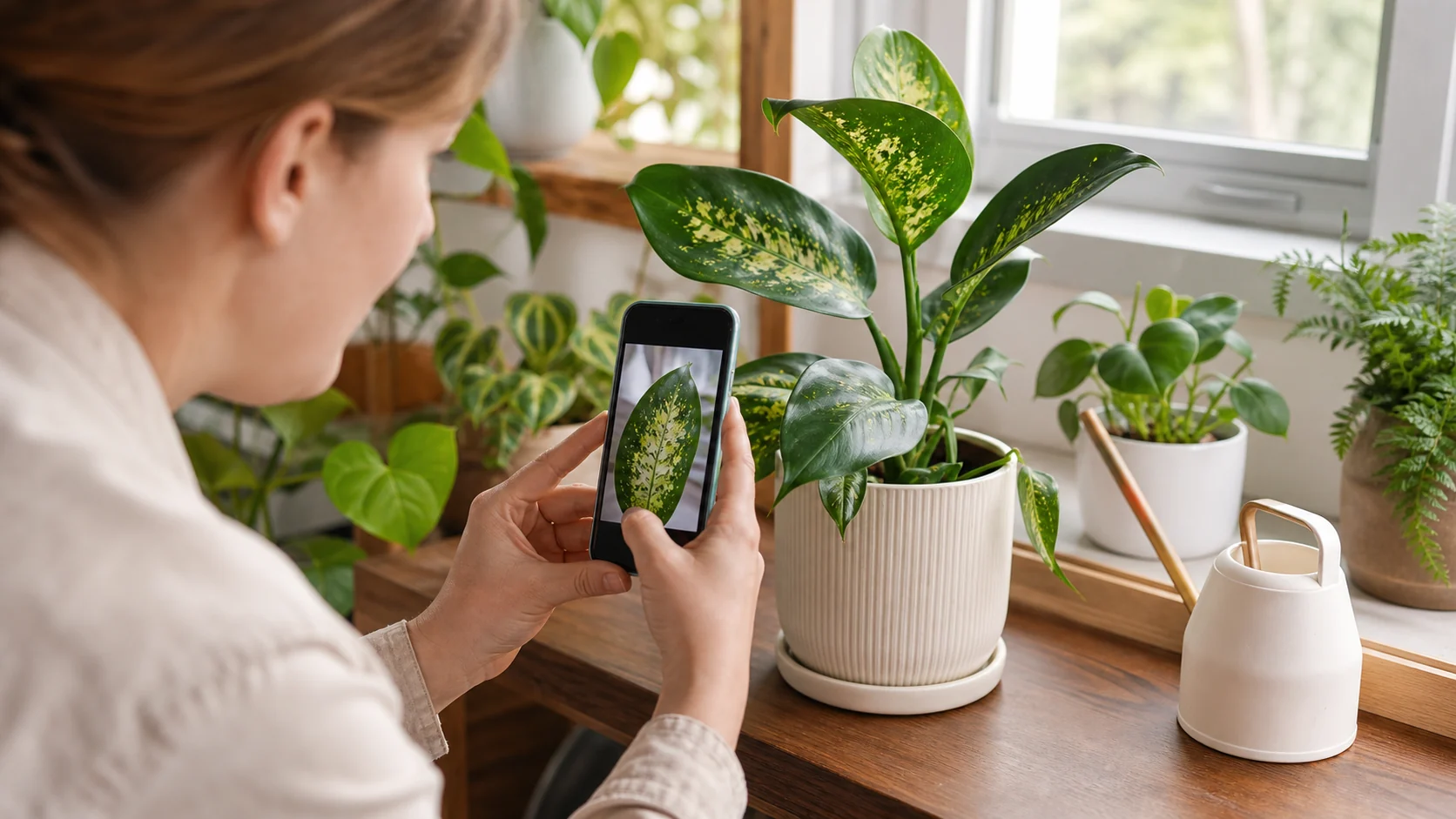
A useful comparison tests recognizable common and variegated plants in the same real-world photo workflow.
PictureThis
PictureThis is the most polished of the bunch. The interface is clean, identifications are fast, and it wraps each result in solid care guidance: light requirements, watering schedule, toxicity information. If you photograph a leaf that looks sick, it also offers a diagnosis — overwatering, nutrient deficiency, pest damage.
The catch is paywall friction. Sampled Google Play reviewers describe the app as useful but frustrating to evaluate because the free-trial flow can ask for a credit card before users feel they have properly tested it. That does not prove every user will have the same experience, but it is enough to treat billing friction as part of the comparison.
PictureThis returns species-level suggestions alongside care information, which can be useful when similar-looking plants need different routines. The source set does not establish that it separates lookalikes more accurately than the other apps in this comparison.
Pros: Fast first answer, polished care layer, useful symptom-help framing, toxic-plant warnings mentioned in the App Store listing.
Cons: Higher trial friction than readers expect, easy to confuse a polished answer with a verified answer.
Best for: Someone who wants an all-in-one plant ID and care app for common indoor plants.
Not for: Anyone who wants to evaluate an app without payment friction or who needs community confirmation before trusting the result.
Pl@ntNet
Pl@ntNet works differently. It is strongest when you use it as an identification tool first, not a full care system. The official listing itself says results improve when you photograph flowers, fruits, and leaves, and that a whole-plant photo is often not sufficient for reliable identification.
Instead of one confident answer, it gives you confidence percentages and sometimes multiple possibilities. You can specify which part of the plant you’re photographing — leaf, flower, bark, fruit — which helps narrow things down when the overall shape is ambiguous.
It is also one of the lowest-friction options to try. The tradeoff is that sampled Google Play reviews mention resets, freezes, and incomplete IDs, so it is smart to treat it as a very useful first pass, not a flawless oracle.
Pros: Low-friction evaluation, strong for outdoor and wild-plant ID, better results when you can submit multiple plant parts.
Cons: Lighter indoor-care follow-through, recurring stability complaints in sampled user reviews.
Best for: Outdoor plants, field ID, gardeners, and anyone who wants a free identification workflow first.
Not for: Readers who want one app to handle ID, disease triage, reminders, and household care decisions.
iNaturalist
iNaturalist is more of a nature observation journal than a quick-ID tool. You log observations, AI suggests an initial identification, and then the wider community can confirm or correct it.
That community-confirmation workflow is the real reason to use it. Wirecutter’s testing recommends iNaturalist for readers who want community confirmation, while also noting that it is not the simplest app to use.
For casual houseplant identification, waiting for community input isn’t practical. But if you find something unusual outdoors, or you want the most reliable possible answer and can wait a while, iNaturalist delivers in a way that no purely algorithmic app can match.
Sampled Google Play feedback also mentions freezes and suggestions not loading, so the tradeoff is clear: stronger verification path, slower and sometimes rougher workflow.
Pros: Best route to human confirmation, strong for unusual species and outdoor observations.
Cons: Slower than instant-ID apps, less beginner-friendly, recurring stability complaints in sampled reviews.
Best for: Serious plant enthusiasts, naturalists, and anyone who values confirmation over speed.
Not for: Someone standing in a nursery or living room who just wants a fast answer and plain-English care notes.
KnowYourPlant
KnowYourPlant’s camera identification goes a step further than species matching. When you photograph a plant, you get the name plus a care profile built for what’s actually in front of you — watering frequency, light needs, humidity preferences, toxicity flags. You can add it to your collection and track it over time: when it was last watered, how it looks, what’s coming up next in its care schedule.
That last part matters more than it sounds. Identifying a plant is useful. Knowing what to do with it for the next year is what keeps it alive. If you’re still learning the basics of watering, light, and seasonal changes, this pairs naturally with a broader indoor plant care guide for beginners. If you’re building a collection that includes plants across the safety spectrum — some safe for pets, some not — having that toxicity information integrated into your plant log is genuinely helpful.
For houseplant owners, this is the most practical workflow: identify the plant, then keep caring for it in the same place. If you want that workflow without bouncing between search results, you can save your plant in KnowYourPlant and keep the care notes with the plant record.
Pros: Keeps the species name tied to reminders, symptom guidance, and a plant record you can keep using after the first scan.
Cons: Not built for community taxonomy discussion, and pet-safety or serious disease decisions still deserve a second-source check. Because this app is part of the publisher’s product ecosystem, treat its review here as disclosed first-party commentary, not independent lab testing.
Best for: Indoor plant owners who want identification and ongoing care support without switching between apps.
Not for: Field botany, community-observation workflows, or anyone whose main goal is crowdsourced expert confirmation.
Which App Should You Actually Use?
The honest answer: it depends on what you’re identifying.
- Something outdoors or in the wild — Pl@ntNet or iNaturalist
- A houseplant you just brought home — PictureThis or KnowYourPlant
- You want ongoing care reminders after ID — KnowYourPlant
- Free, no strings attached — Pl@ntNet
Many people who identify plants regularly may find two complementary apps useful: one for outdoors (Pl@ntNet or iNaturalist) and one for houseplants (PictureThis or KnowYourPlant). That covers most common situations without much overlap.
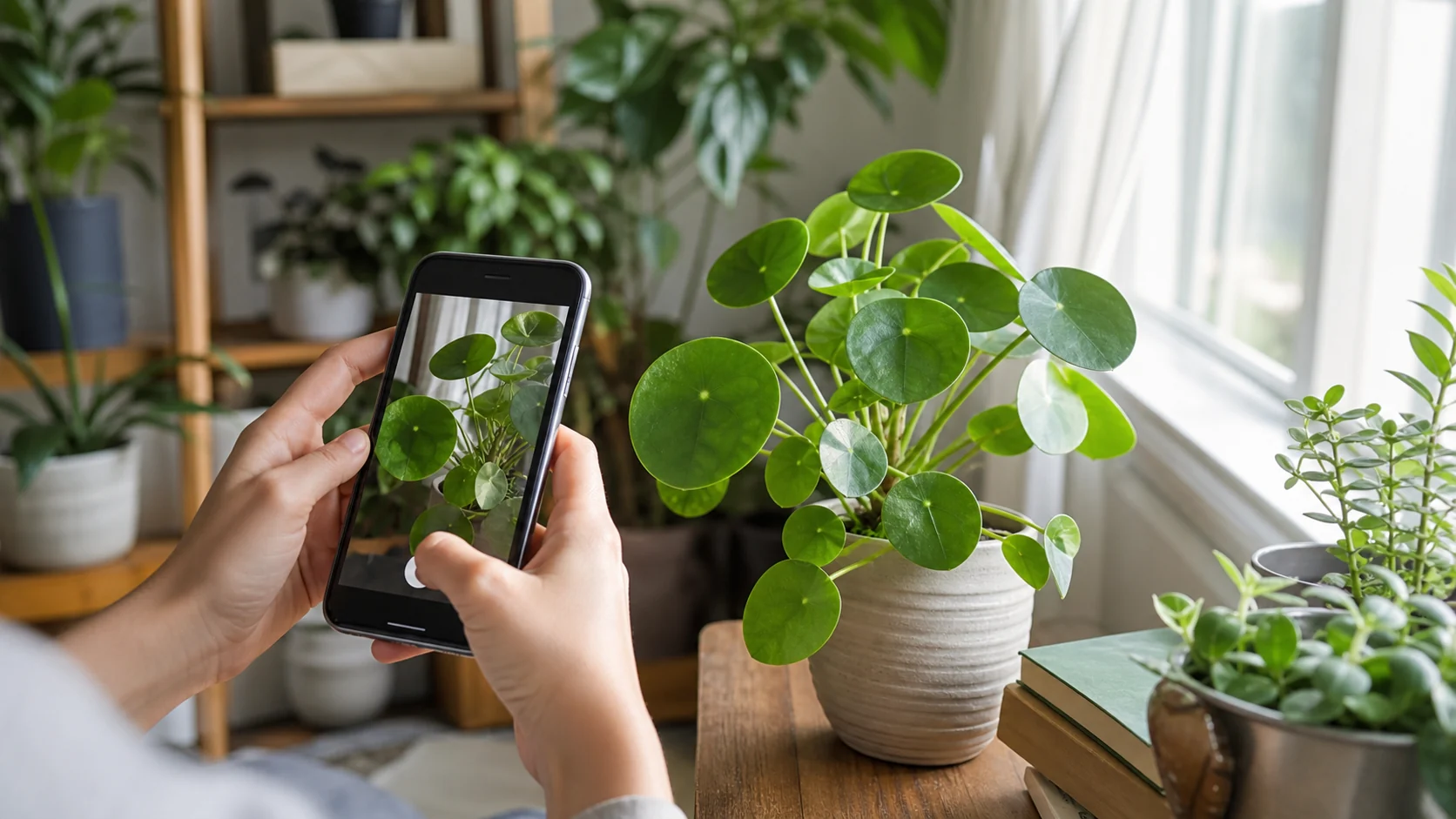
For a plant already living indoors, choose the workflow that carries identification into ongoing home care.
Test an App Before You Pay
Before starting a subscription, run the same three-photo test on any app you are considering:
- Photograph the whole plant in window light, not just one leaf.
- Photograph the newest growth, because juvenile leaves are where many apps guess wrong.
- Photograph the problem area if you are diagnosing yellowing, spots, wilting, or pests.
Then check whether the app gives you a useful next step. A good result should explain light level, watering risk, pet safety, and what to watch next. A weak result gives a confident name and leaves you searching again five minutes later.
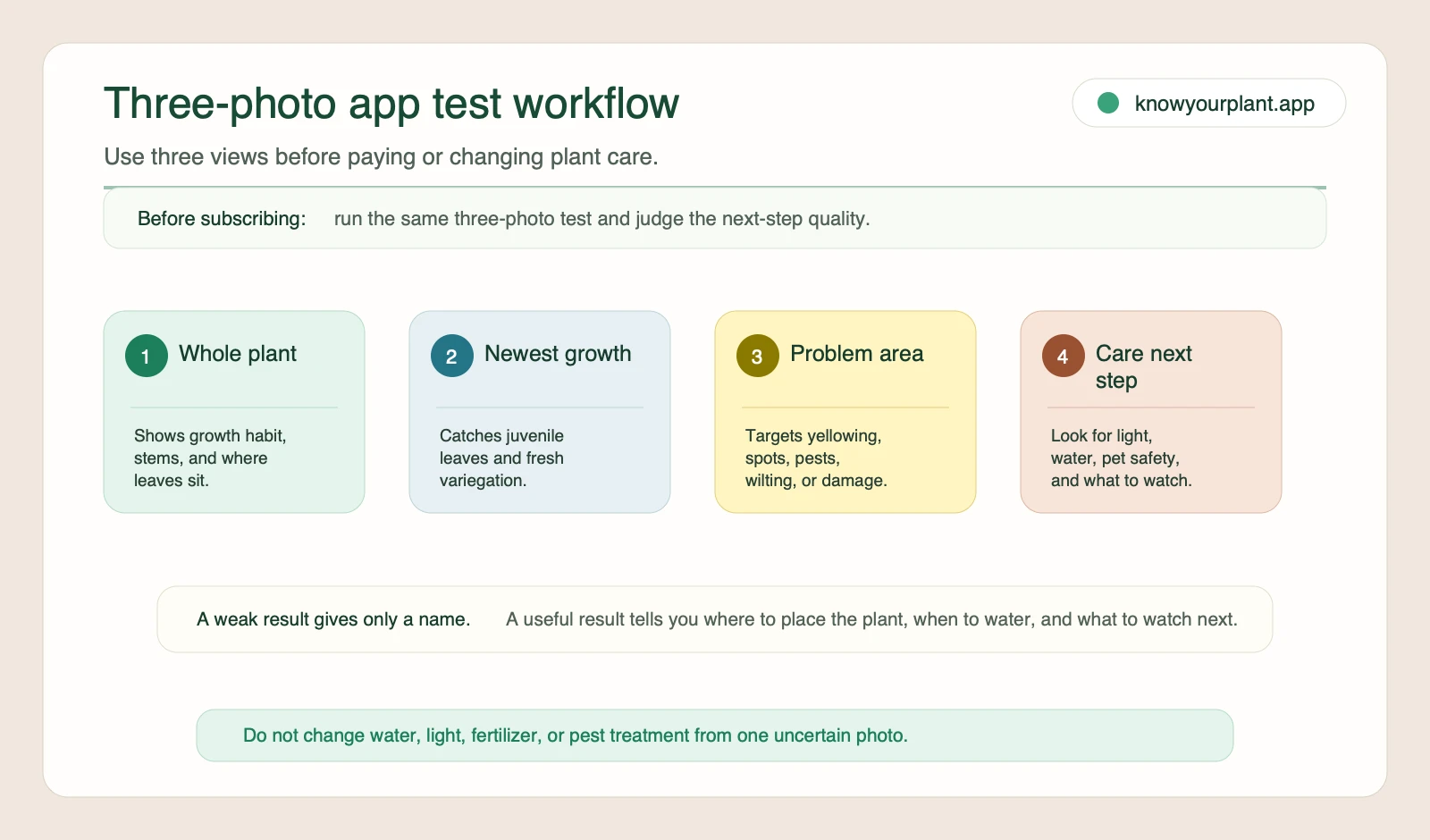
Run the same three-photo test before subscribing or changing care, then judge whether the app explains what to do next.
After the App Names Your Plant, Do This
A name is useful only if it changes what you do next. Once the app gives you a likely ID, turn it into a small care plan:
Today: Check the light and soil before watering. If the top few inches are still damp, wait. Wet soil plus yellowing leaves, soft stems, fungus gnats, or a sour smell usually means you are overdoing it.
This week: Watch the newest leaves. Curling often points to underwatering, heat, pests, or low humidity; brown tips often point to inconsistent watering, dry air, fertilizer buildup, or tap-water minerals. Do not change everything at once. Adjust one thing, then watch the plant respond.
This season: Recheck the care routine when light changes. A plant that dries every five days in summer may stay wet for two weeks in winter. Good reminders should shift with the plant’s real pace, not force the same schedule all year.
Getting the Most Out of Any App
No app gets it right every time — but photo quality makes a bigger difference than which app you’re using. A few things that reliably improve results:
Photograph in natural light. Overhead indoor lighting flattens detail; diffuse light from a window shows texture, color, and leaf surface more accurately. If you can take the plant to a spot with soft daylight, do it.
Show the whole plant, not just one leaf. The way stems branch, the growth habit at the base, whether the leaves alternate or opposite — these are the features that distinguish similar-looking plants. A tight close-up of a single leaf takes away most of the context the algorithm needs.
Try a second angle if the result looks uncertain. Photograph the underside of the leaves, the petiole where the leaf meets the stem, or the base of the plant. Most apps let you try again without it counting against a daily limit, and a different angle often resolves an ambiguous result.
Check the ID against the care description. If the app confidently says it’s a species that thrives in direct sun, but the plant in front of you has soft, broad leaves that look like they’d scorch in direct sun — that mismatch is a signal. A confident wrong answer is still a wrong answer. Trust your eyes alongside the algorithm.
When the App Gets It Wrong
Even with a good photo, some situations reliably trip up every plant ID app. Knowing the common failure modes helps you know when to trust the result and when to dig deeper.
Juvenile leaves are the most common cause of wrong IDs. Many plants look dramatically different before they reach maturity — Monstera’s famous splits don’t appear until the plant is a few years old, and young Pothos can look nearly identical to young Epipremnum varieties. If the plant is small, the app may be seeing a form it wasn’t trained on.
Highly cultivated varieties cause problems too. There are hundreds of Hoya cultivars, dozens of Philodendron hybrids, and the differences between them can be subtle. Apps identify species well; they’re much weaker on cultivars that exist mostly in people’s homes rather than in botanical reference collections.
Poor lighting is responsible for more wrong answers than any other single factor. A blurry, backlit, or blue-tinted indoor photo doesn’t give the algorithm the color accuracy it needs. If you’ve tried twice and the results still don’t feel right, move the plant to better light before trying again.
Overconfident wrong answers are the hardest to catch. Some apps display high confidence scores even when they’re incorrect. If something about the result feels off — the described care doesn’t match how the plant actually behaves, or the leaf shape doesn’t match the photos shown — look it up independently before committing to the ID.
Frequently Asked Questions
Which plant identifier app is the most accurate? No single app wins every job. Wirecutter’s testing recommends Pl@ntNet for quick identifications and iNaturalist when you want community confirmation. For indoor plants, polished picture-based apps can be helpful, but photo quality and plant-part coverage still matter more than brand loyalty.
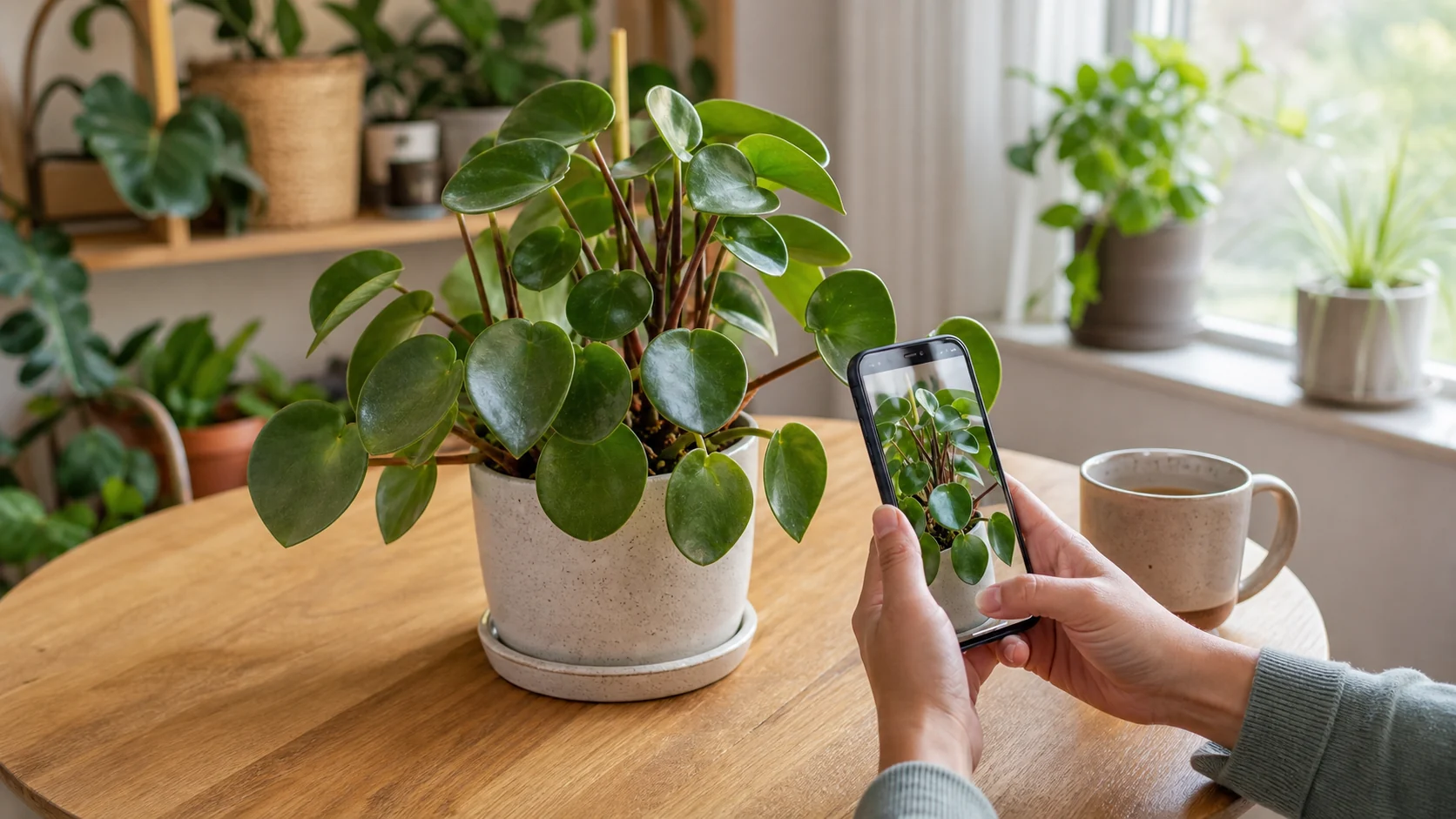
Even a strong identifier depends on a clear angle, recognizable leaf habit, and enough plant context to support the match.
Are plant ID apps free? Pl@ntNet and iNaturalist are the lowest-friction places to start. Other apps may use subscriptions, premium tiers, or trial flows, so always check the current store listing before you commit. If you only need a plant name once, a low-friction free workflow is usually enough.
Can these apps identify plant diseases? PictureThis offers a disease-diagnosis feature that suggests possible causes from a photo of a yellowing or spotted leaf. KnowYourPlant also offers health-related guidance alongside its ID results. Pl@ntNet and iNaturalist focus on species identification rather than disease detection. Treat any diagnosis as a starting point: check soil moisture, light, pests, and recent care changes before you act.
Can a plant app tell me how often to water? The better apps can give you a starting rhythm, but you still need to check the soil. Watering every Saturday sounds simple, but it ignores pot size, season, light, and room temperature. For most indoor plants, wait until the soil has dried to the level the plant prefers, then water thoroughly and let excess water drain.
Can a plant ID app help before I buy a plant? Yes, and this is one of the most useful ways to use one. Identify the plant at the store, then check light needs, watering frequency, toxicity, and size before you bring it home. If the care profile does not fit your window light, pets, or schedule, pick a more forgiving plant.
How accurate is AI plant identification really? Accuracy varies by plant type and photo quality. One useful third-party comparison in the source set is Wirecutter’s test of seven free apps with fourteen testers across nine states. Its conclusion was not that one app wins every case, but that Pl@ntNet is a strong choice for quick identifications while iNaturalist is the better fit when you need community confirmation. This article does not treat that editorial test as a universal accuracy benchmark.
What’s the best app for identifying houseplants specifically? PictureThis and KnowYourPlant are both designed with indoor plants in mind, and both link identification to care information. If you want to track your collection over time, KnowYourPlant’s ongoing care features make it the stronger choice for a growing houseplant collection.
Plant identification used to mean knowing someone who knew plants, or having a well-annotated field guide on your shelf. Now most of it fits in your pocket. The apps above are all worth trying — most are free to start, and you’ll figure out quickly which one fits how you use it.
And if you’re building a houseplant collection you actually want to keep alive: identifying a plant is just the beginning. Knowing what it needs, week to week, is the part that matters most.